


Introduction: The Real Problem With Windows Today
Modern versions of Windows are powerful, feature-rich, and constantly evolving. However, for many users, that power comes with a cost: loss of control.
Over time, Windows systems tend to feel slower, heavier, and more intrusive. Startup times increase. Background processes multiply. Updates appear at inconvenient moments. Privacy-related services quietly re-enable themselves after major updates. Settings that users intentionally changed are sometimes reverted without warning.
For beginners and non-technical users, this creates a frustrating situation:
- You know something is wrong with your system
- You feel Windows is doing too much in the background
- You want better performance and more privacy
- But you do not want to break your system
When searching for solutions, users usually encounter one of two extremes:
- Highly technical solutions
- These involve registry editing, PowerShell scripts, Group Policy changes, or undocumented tweaks. While powerful, they are risky for beginners and difficult to reverse if something goes wrong.
- Over-promising “optimizer” tools
- Many third-party tools claim to “boost performance by 300%” or “make Windows fly,” but often rely on unsafe methods, unclear actions, or outdated techniques.
Most users do not want either of these options.
They want something simple, transparent, and safe.
This is where System As You Like (النظام زي ما تحب) comes in.
Developed by Ajmal Fursah, System As You Like was created to solve a very specific problem:
How can normal Windows users take back control of their system without needing deep technical knowledge or risking system stability?
This guide is written to answer that question clearly and step by step.
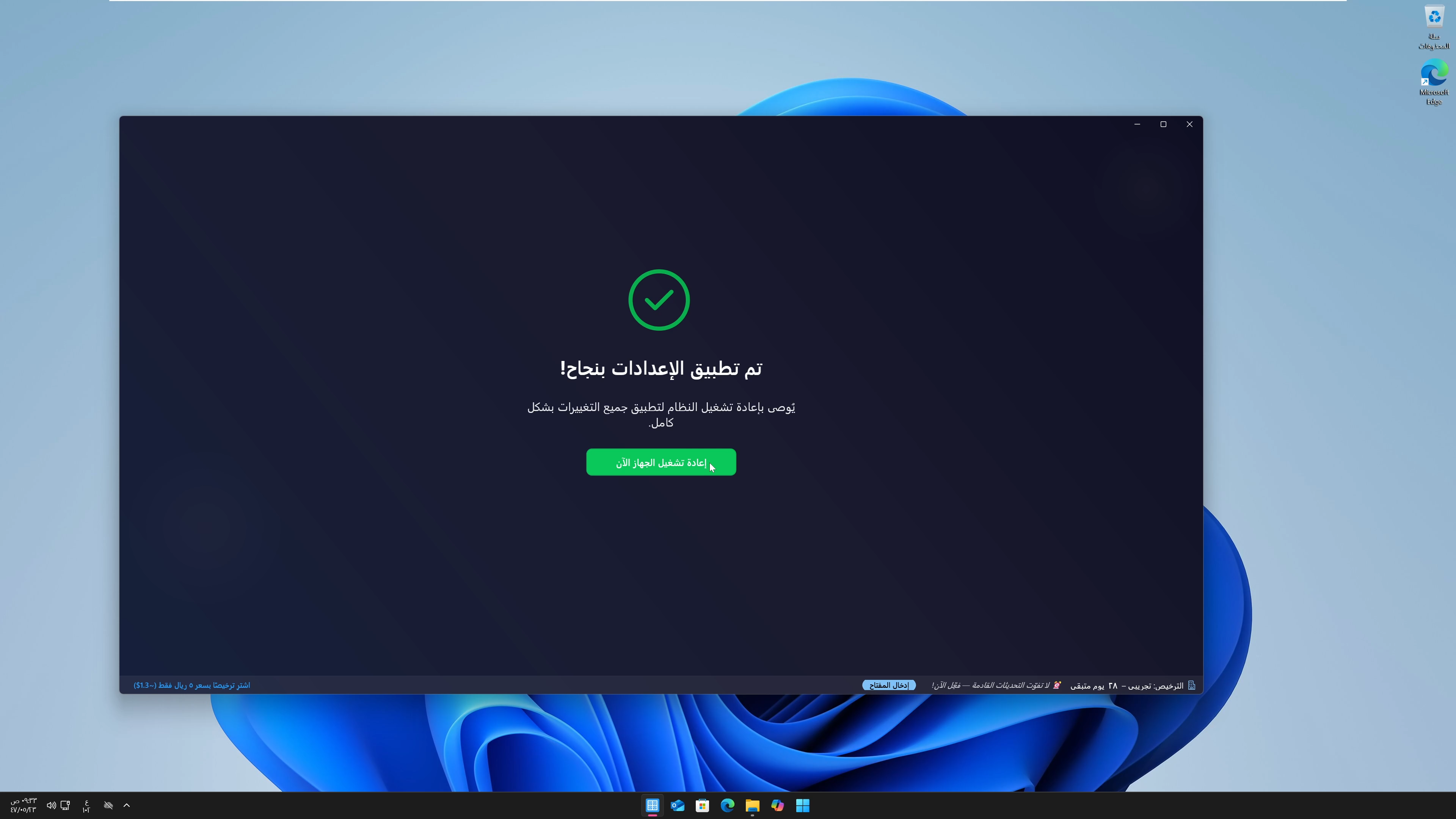
What “System As You Like ” Is — and What It Is Not
Before explaining how the app works, it is important to clearly define what System As You Like is, and just as importantly, what it is not.
What System As You Like Is
System As You Like is a Windows system control and optimization application designed for Windows 10 and Windows 11.
Its main purpose is to allow users to:
- Control Windows behavior
- Disable unnecessary features safely
- Improve performance and responsiveness
- Reduce background activity
- Enhance privacy
- Customize system behavior based on personal preference
The application acts as a safe control layer between the user and Windows internals. Instead of forcing users to edit the registry or run dangerous scripts, the app provides clear options with understandable descriptions.
What System As You Like Is Not
System As You Like is not:
- A “one-click miracle optimizer”
- A registry cleaner that deletes random keys
- A system file modifier
- A hacking or bypass tool
- A replacement for Windows itself
The app does not promise unrealistic performance gains. Instead, it focuses on real, measurable improvements by disabling or adjusting features that most users do not need.
This distinction is critical for beginners to understand.
Why Windows Feels Slower Over Time
Many beginners believe that Windows slows down because their hardware is “getting old.” While hardware aging can play a role, it is rarely the main reason.
The real causes usually include:
1. Background Services and Tasks
Windows runs a large number of services by default. Some are essential. Many are optional.
Over time:
- More services get added through updates
- Third-party software installs background tasks
- Telemetry and diagnostics services remain active
Each service consumes a small amount of CPU, RAM, or disk usage. Individually, they seem harmless. Collectively, they create noticeable slowdowns.
2. Forced Updates and Scheduled Maintenance
Windows Update is designed to keep systems secure, but it often runs:
- At inconvenient times
- During active usage
- In the background without clear visibility
This leads to:
- Sudden CPU spikes
- Disk usage at 100%
- Temporary system freezes
3. Privacy and Telemetry Features
Modern Windows versions collect diagnostic and usage data. While Microsoft states this is for improvement purposes, many users prefer to limit or disable these features.
The problem is that:
- Privacy settings are scattered across many pages
- Some options re-enable after updates
- Disabling them manually is complex
4. Lack of Centralized Control
Windows settings are fragmented:
- Control Panel
- Settings app
- Group Policy
- Registry Editor
Beginners often do not know where to look, and advanced users waste time jumping between tools.
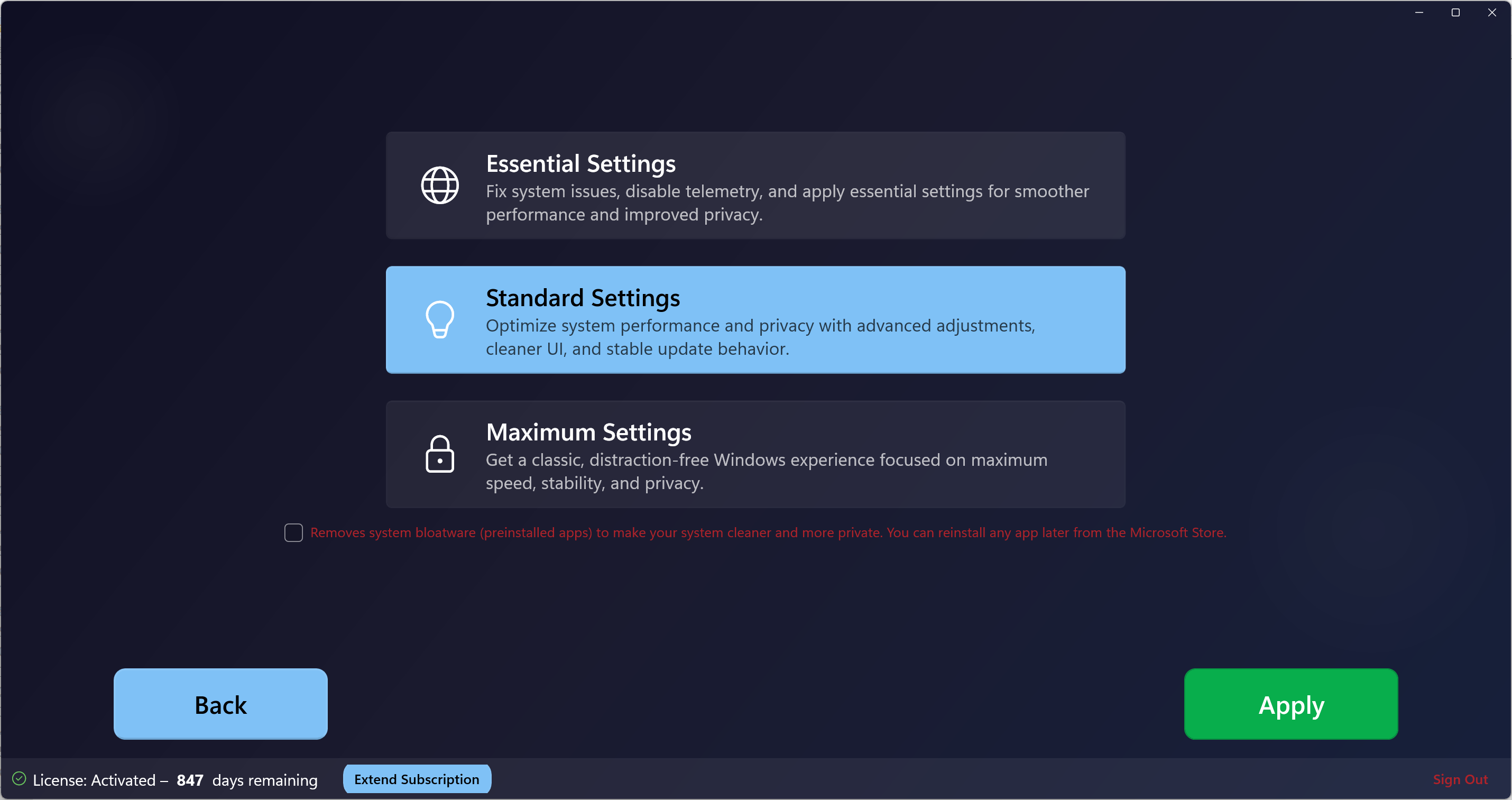
The Core Idea Behind “SSystem As You Like”
System As You Like was built around a simple but powerful idea:
Users should decide how Windows behaves on their system.
Instead of forcing one configuration for everyone, the app allows users to choose:
- What features they want
- What they do not need
- How aggressive optimizations should be
- Which changes should be reversible
This is why the name “System As You Like” is not marketing language. It describes the actual design philosophy of the app.
The system adapts to the user — not the other way around.
Who “System As You Like” Is Designed For
Although the app is powerful, it is not aimed exclusively at advanced users. In fact, beginners are one of its primary audiences.
1. Beginners and Non-Technical Users
If you:
- Are afraid of breaking Windows
- Do not understand registry edits
- Want clear explanations
- Prefer buttons and toggles instead of commands
System As You Like is designed with you in mind.
Each option is presented in a readable way, and the app avoids unsafe actions by default.
2. Power Users Who Want Speed and Control
For advanced users, the app provides:
- Faster access to common tweaks
- Centralized control
- Clean implementation without bloated interfaces
Instead of manually applying the same tweaks after every Windows reinstall, users can rely on a single tool.
3. Gamers and Performance-Focused Users
Gamers often want:
- Fewer background processes
- More stable performance
- Less interruption during gameplay
System As You Like helps reduce unnecessary system load without disabling essential gaming components.
4. Privacy-Conscious Users
Users who care about privacy can:
- Reduce telemetry
- Disable tracking-related services
- Control background data collection
All without digging through hidden settings.
Safety First: How System As You Like Like Protects Beginners
One of the biggest fears beginners have is “What if I break my system?”
This concern is valid — many Windows tools do cause damage when used incorrectly.
System As You Like addresses this in several ways:
1. No Random Registry Deletion
The app does not perform uncontrolled registry cleaning. Changes are targeted, intentional, and based on known Windows behaviors.
2. Reversible Actions
Most changes can be reverted. This is critical for beginners who want to experiment without permanent consequences.
3. Clear Categorization
Options are grouped logically, such as:
- Performance
- Privacy
- Updates
- System behavior
This prevents users from applying unrelated tweaks blindly.
4. No Hidden Scripts
System As You Like does not run unknown third-party scripts downloaded from the internet. All logic is built into the application itself.
How Beginners Should Approach the App (Mindset Matters)
Before clicking any options, beginners should understand one important principle:
Optimization is not about disabling everything.
The goal is not to turn Windows into a stripped-down shell. The goal is to remove what you do not need.
Beginners should:
- Start slowly
- Change one category at a time
- Observe system behavior
- Avoid copying aggressive setups from others
System As You Like is intentionally flexible. You are not expected to use every feature.
Common Beginner Mistakes (And How to Avoid Them)
Mistake 1: Trying to Optimize Everything at Once
This leads to confusion and makes it hard to know which change caused which result.
Correct approach:
Apply changes gradually.
Mistake 2: Blindly Following Online “Best Settings”
Every system is different. Hardware, usage patterns, and preferences matter.
Correct approach:
Use the app based on your needs, not someone else’s screenshot.
Mistake 3: Expecting Instant Miracles
Performance improvements are real, but realistic.
Correct approach:
Focus on stability, responsiveness, and reduced background load.
What This Guide Will Cover Next
This guide is divided into three parts to keep it clear and useful.
Part 1 (This Article)
- The problem with Windows
- What System As You Like is
- Who it is for
- Safety and mindset for beginners
Part 2 (Next)
- Detailed walkthrough of the app’s main sections
- Explanation of key features in simple language
- Recommended settings for beginners
Part 3 (Final)
- Advanced usage
- Long-term maintenance
- How to use System As You Like after Windows updates
- Real-world scenarios and best practices
Conclusion
System As You Like Like exists because Windows users deserve control over their own systems.
It does not try to replace Windows.
It does not try to hide complexity with false promises.
Instead, it provides a clear, safe, and user-focused way to customize Windows based on personal needs.
If you are a beginner, the most important thing to understand is this:
You do not need to be an expert to take control of your system.