

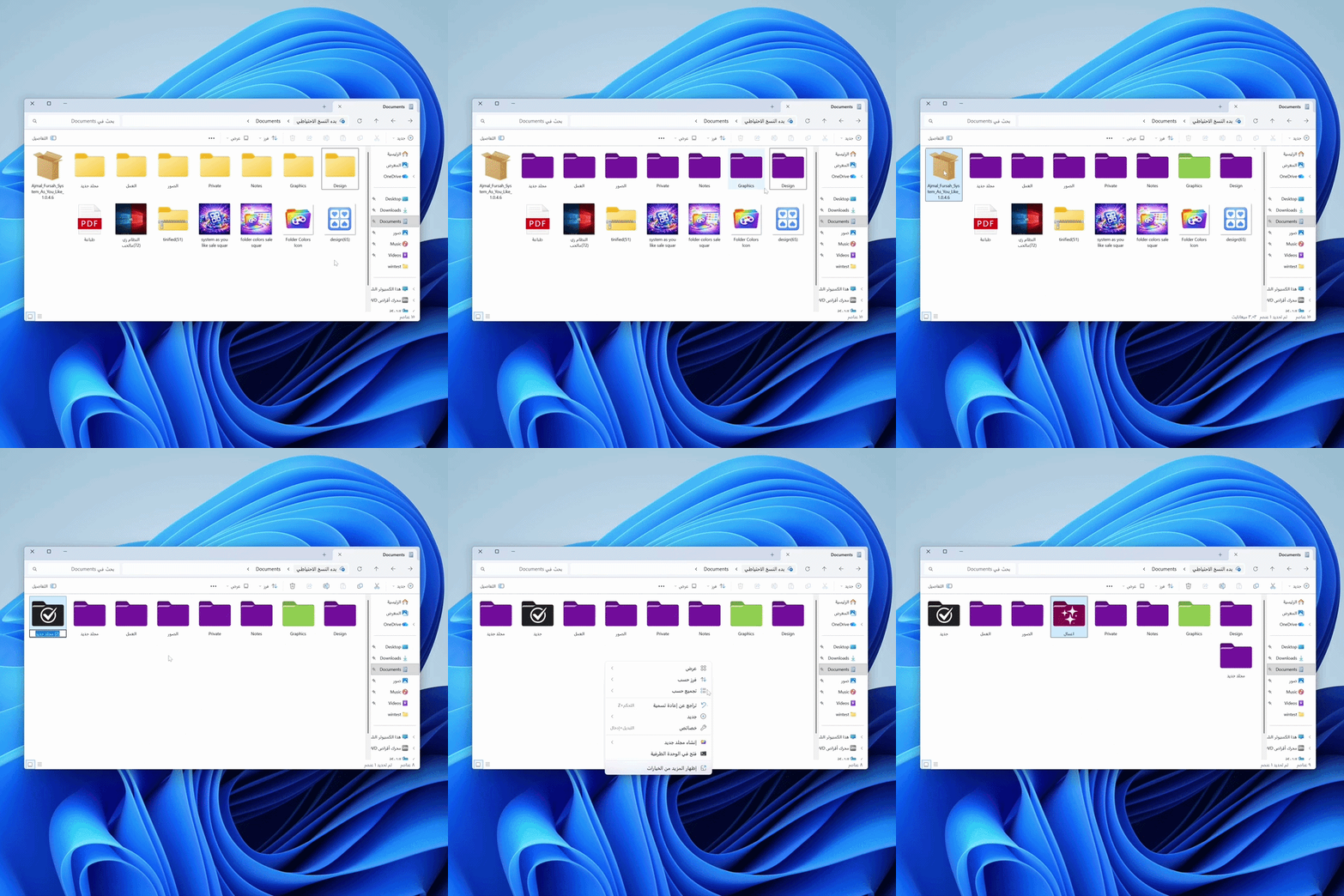
Folder Colors | Organize your files and find everything faster in Windows
Change folder colors easily
0 USD
18.08 USD18.08 USD
Organize your files effortlessly and make every folder instantly recognizable. Folder Colors gives you a simple and effective way to change folder colors in Windows so you can find what you need faster without the clutter.
Turn File Explorer into a clean and visual workspace
If you’re tired of searching through dozens of identical folders or opening each one just to see what’s inside, you need a simpler way to stay organized.
With Folder Colors, you can assign a unique color to every folder based on its type or importance, helping you find your files instantly without effort.
Instead of reading folder names one by one, you’ll recognize them immediately by color.
The result
- Better file organization
- Faster access to everything
- A more comfortable workflow
- Change folder colors easily
Pick your preferred color and apply it directly from the right click menu in File Explorer.
Clear visual distinction
Mark work folders study folders or important files with different colors for instant recognition.
Save time and effort
No more opening folders to search everything is visible at a glance.
Seamless Windows integration
Works inside File Explorer like a native feature with no extra steps.
Lightweight and fast
No background processes and no impact on system performance.
Why users choose it
- Instant organization with one click
- No technical skills required
- Simple and easy for everyone
- Works smoothly on Windows 10 and Windows 11
- Feels like a built in Windows feature
Free trial
Try all features free for 30 days and experience the difference.
Subscription
1 year subscription with support for up to 5 devices.